LaunchDarkly Adds ClickHouse for Warehouse-Native A/B Tests
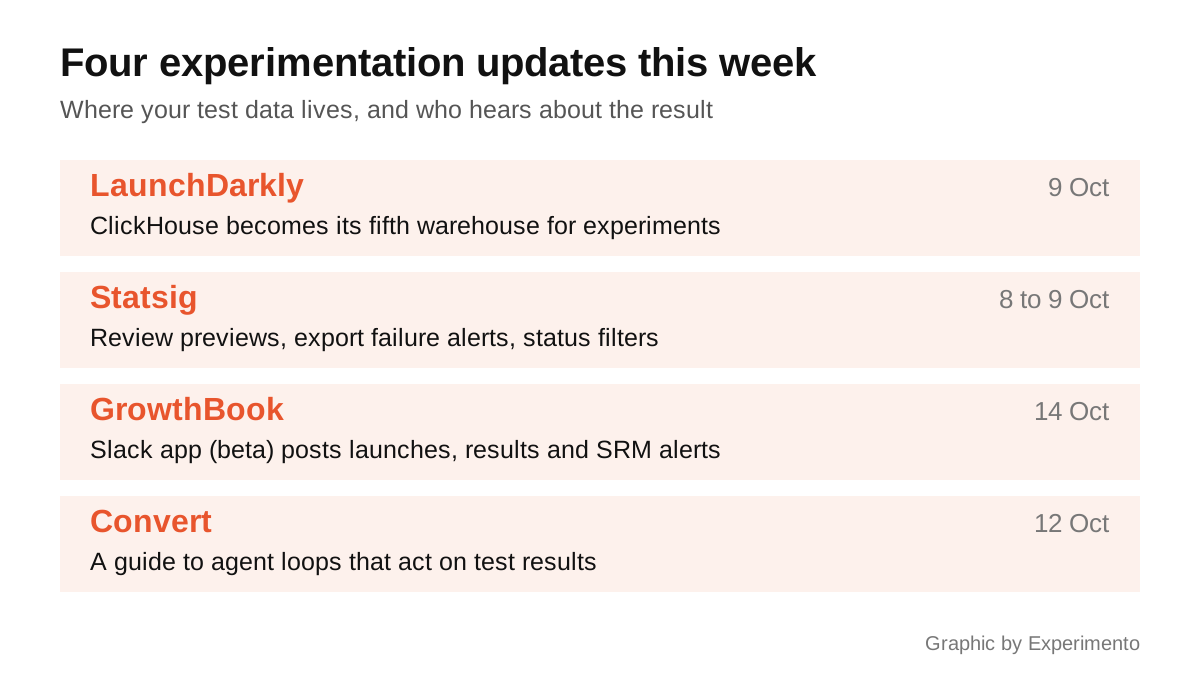
Last week’s news was about AI agents. This week’s is mostly about the less glamorous parts of a testing programme: where the data lives, who checks a change before it ships, and who hears about a result. One vendor also published the most candid guide yet to what can go wrong when you let an agent act on test results.
LaunchDarkly can now run experiments on ClickHouse
LaunchDarkly’s documentation changelog records that on 9 October it published a topic on setting up ClickHouse native Experimentation, and on 14 October it expanded it with setup script generation, saved drafts and how to recover from an authentication error. The integration lets LaunchDarkly read metric events straight from your ClickHouse service and analyse experiments on them, without sending the events through its SDKs. It writes results back to a separate database it creates on first connection.
ClickHouse joins Snowflake, Databricks, BigQuery and Redshift on LaunchDarkly’s list of supported warehouses, and teams that picked ClickHouse for cheap, fast event analytics no longer have to copy the data somewhere else to test against it. Check the prerequisites before you plan on it: access needs both Data Export and Experimentation, and the ClickHouse Data Export integration has to be set up for the same project and environment first. Our A/B testing tools comparison covers which platforms work warehouse-native and why it matters. The setup guide is in LaunchDarkly’s docs.
Statsig: see your change before you ask for a review
Statsig’s product updates page lists three small releases from 8 and 9 October. When you request a review of a feature gate or dynamic config change, you can now preview it in Visual and Diff views before you submit, with the changed fields highlighted. Failed warehouse exports now trigger an email, show the error in the console and can be checked through a new API endpoint. And dashboards can be filtered by experiment status, with non-matching widgets dimmed rather than removed, so an overview shows only what is running.
The review preview is the one to care about. A flag change that turns a feature on for the wrong audience can spoil a running experiment as surely as a bug, and reviewers can only catch what they can see. If your team already requires approval for gate changes, this makes the approval worth something. See Statsig’s product updates.
GrowthBook puts launches, results and SRM alerts into Slack
On 14 October GrowthBook published a closer look at its Slack app, which first appeared in GrowthBook 5.1 and is still in beta. Teams can tag @GrowthBook in a channel to ask how a test is doing or which past experiments touched the checkout. The app can post launches, edits and results to a channel, and send alerts for sample ratio mismatch, multiple exposures, missing data and experiments that have run for more than 90 days.
The SRM alert is the most useful line in the post. A sample ratio mismatch means the split between variations is not what you set, which usually means a bug in assignment or tracking, and a test with one should not be read until it is fixed. Too often it is spotted only when someone opens the results page at the end. Posting launches before they go live also gives people a chance to object while it still matters, which is part of building a CRO programme rather than a queue of tests. Read it on the GrowthBook blog.
Convert spells out the risks of letting an agent act on test results
On 12 October Convert published a guide to running an autonomous test loop in Convert Experiences: a scheduled AI agent that finds experiments needing attention, reads their results and acts within limits set in advance. It is more useful for its warnings than its instructions. Convert says owners and managers can bypass approval steps by design, so an agent given an owner’s API key skips peer review entirely, and that writing “don’t change anything” in a prompt will not make it read-only. Pausing a test or changing its traffic split takes effect at once, and the confirmation prompts can be satisfied by the agent itself.
Its advice applies to any platform. Give the agent a key from a limited role and run it read-only for a few weeks first. Turn on sequential testing, which is not on by default and is only on some plans, because an agent that checks results continuously will otherwise find false winners. Raise the minimum running time, which defaults to one day on new projects, to at least a full business cycle. Never let it change traffic on a running A/B test. These are the same rules as in our guide to what A/B testing is, applied to a reader that never gets bored of peeking. Read the Convert guide.
More from Experimento
related resultsBest A/B Testing Tools in 2026, Compared by What They Actually Do
A practical 2026 comparison of the best A/B testing tools by what each one is actually good at, from Optimizely and VWO to GrowthBook and PostHog.
read result →A/B Testing Tools Compared: Which Platform Fits Your Team
A/B testing tools compared for 2026: VWO, Optimizely, AB Tasty, Convert, GrowthBook, Statsig and PostHog, matched to marketing, CRO and engineering teams.
read result →Data-Driven Design: Let Research Guide Your Product Decisions
A practical guide to data-driven design: how to pair analytics with user research, run honest tests, and make product decisions on evidence, not opinion.
read result →