What Is Interaction Design (IxD)? A Plain Guide
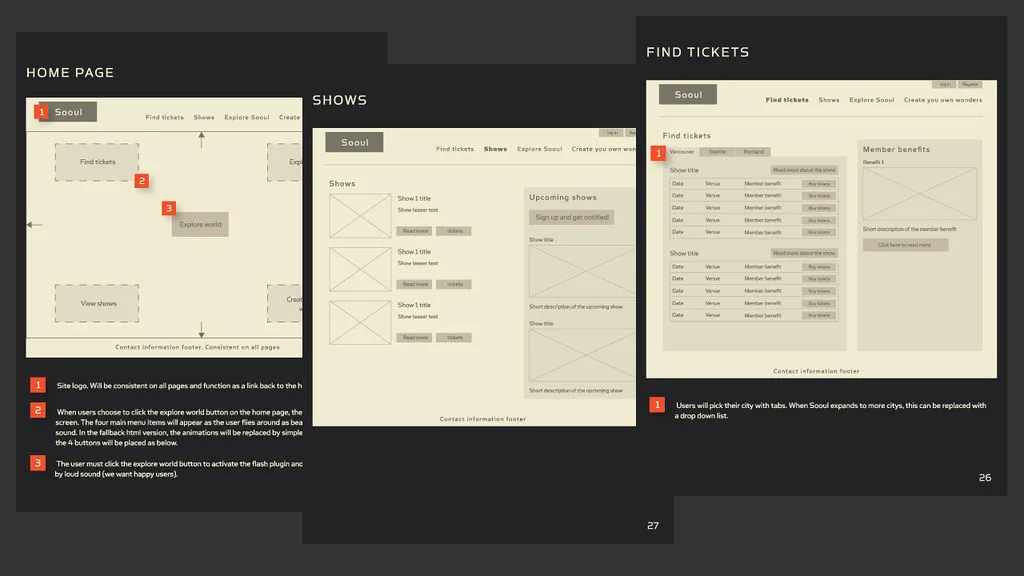
If you have ever wondered what is interaction design and how it differs from the dozen other “design” job titles around it, the honest answer is that most explanations bury a simple idea under jargon. Interaction design, often shortened to IxD, is the discipline of shaping what happens between a person and a product at the exact moment they act: the tap, the swipe, the click, the scroll, and crucially what the system does back. It is the design of the conversation between a human and a machine, turn by turn.
This guide gives you a working definition you can actually use, the five dimensions practitioners plan around, the principles that separate a considered interaction from a frustrating one, and a clear line between IxD, UX and UI so you stop conflating them.
A definition that holds up
Interaction design is the practice of defining how a product behaves in response to what a user does. Where visual design decides how something looks, interaction design decides how it acts: what a button does when pressed, how the interface confirms a payment went through, what happens when someone makes a mistake, and how the whole thing feels moment to moment rather than in a static screenshot.
The goal is a product that is understandable and predictable, so people can form a mental model of how it works and trust it. When interaction design is done well you barely notice it. When it is done badly you feel it immediately: the form that loses your input, the button that gives no sign it registered your tap, the setting you can never find twice.
The five dimensions of interaction design
A widely used model, originated by Gillian Crampton Smith and extended by Kevin Silver, describes interaction design across five dimensions. They are a practical checklist for what you are actually designing.
- Words. The text people read and act on: button labels, error messages, menu items, microcopy. Precise wording is an interaction, not decoration. “Delete account” and “Close account” set different expectations.
- Visual representations. Icons, images, typography and any graphic that carries meaning rather than pure decoration. A trash icon communicates an action before a single word is read.
- Physical objects and space. The device and its input: a mouse, a thumb on a phone held one-handed, a controller, a voice. How and where someone physically interacts shapes what the design can ask of them.
- Time. How interactions change over time: animation, transitions, loading states, progress feedback, and how content shifts as a user moves through a flow.
- Behaviour. How the system reacts: the feedback and responses a product gives to a user’s action, and how those reactions match, or fail to match, what the person expected.
Silver added the fifth dimension, behaviour, to the original four, and it is the one that ties the rest together. A design can have the right words, icons and timing and still fail if the system behaves in a way the user did not expect.
The principles that make interactions work
Certain principles recur across good interaction design because they map onto how people actually think.
Feedback. Every action needs a visible or audible response, so the user knows the system heard them. A button that changes state on press, a spinner while something loads, a confirmation after a save.
Affordance. An element should suggest how it is used. A button that looks pressable, a field that looks typeable. When affordances are honest, people do not need instructions.
Consistency. The same action should work the same way everywhere in the product. Consistency lets a user carry what they learned on one screen to the next, which is the foundation of learnability.
Constraints and error prevention. The best interaction stops a mistake before it happens, and when one does happen, explains it in plain language and offers a way back. This is where accessibility and inclusive thinking matter most; our inclusive design guide goes deeper on designing for the full range of users.
IxD versus UX versus UI
This is where most confusion lives, so here is the clean version.
User experience (UX) design is the broad discipline covering the entire experience of using a product, from research and information architecture to content and emotional response. It is the parent field.
Interaction design is a core part of UX focused specifically on behaviour and the moment of interaction: what the product does in response to the user. It answers “how does this work when I use it?”
User interface (UI) design is the visual and presentational layer: the look of the screens, colour, layout and style. It answers “what does this look like?”
In practice these overlap and, on smaller teams, one person may do all three. But the distinction is useful: UX defines the whole journey, interaction design defines the behaviour along it, and UI dresses it. If you want the wider picture, start with our explainers on what is user experience and what is digital product design, then read the Interaction Design Foundation’s overview for the academic grounding.
Where interaction design meets testing
None of these principles survive contact with real users without evidence. Interaction designers rely on usability testing, prototypes and behavioural research to check that their intended interactions match what people actually do, which is where interaction design connects to the rest of a product practice. Our guide to what is user research covers the methods that turn a designer’s assumptions into tested decisions.
Frequently asked questions
What is interaction design in simple terms? Interaction design is the design of how a product behaves when you use it: what a button does when you press it, how the system tells you something worked, and what happens when you make a mistake. It shapes the back-and-forth between a person and a product rather than just how the product looks.
What are the five dimensions of interaction design? They are words, visual representations, physical objects or space, time, and behaviour. The first four were defined by Gillian Crampton Smith, and Kevin Silver added behaviour, which describes how the system responds to a user’s action.
Is interaction design the same as UX design? No. Interaction design is a part of UX design. UX covers the whole experience of using a product, including research, structure and content, while interaction design focuses specifically on the behaviour and the moment-to-moment interaction between user and product.
What is the difference between interaction design and UI design? Interaction design decides how a product behaves and responds to actions, while UI design decides how the product looks, its layout, colour and visual style. A screen can be beautiful (good UI) and still frustrating to use (poor interaction design).
What skills does an interaction designer need? Interaction designers need an understanding of user behaviour, prototyping and wireframing, a grasp of feedback and affordance, clear writing for microcopy, and the ability to run and interpret usability testing so their interactions are validated against real use rather than assumption.
More from Experimento
related resultsBest A/B Testing Tools in 2026, Compared by What They Actually Do
A practical 2026 comparison of the best A/B testing tools by what each one is actually good at, from Optimizely and VWO to GrowthBook and PostHog.
read result →A/B Testing Tools Compared: Which Platform Fits Your Team
A/B testing tools compared for 2026: VWO, Optimizely, AB Tasty, Convert, GrowthBook, Statsig and PostHog, matched to marketing, CRO and engineering teams.
read result →Data-Driven Design: Let Research Guide Your Product Decisions
A practical guide to data-driven design: how to pair analytics with user research, run honest tests, and make product decisions on evidence, not opinion.
read result →