Design Specifications Explained: How to Write a Design Spec with Examples
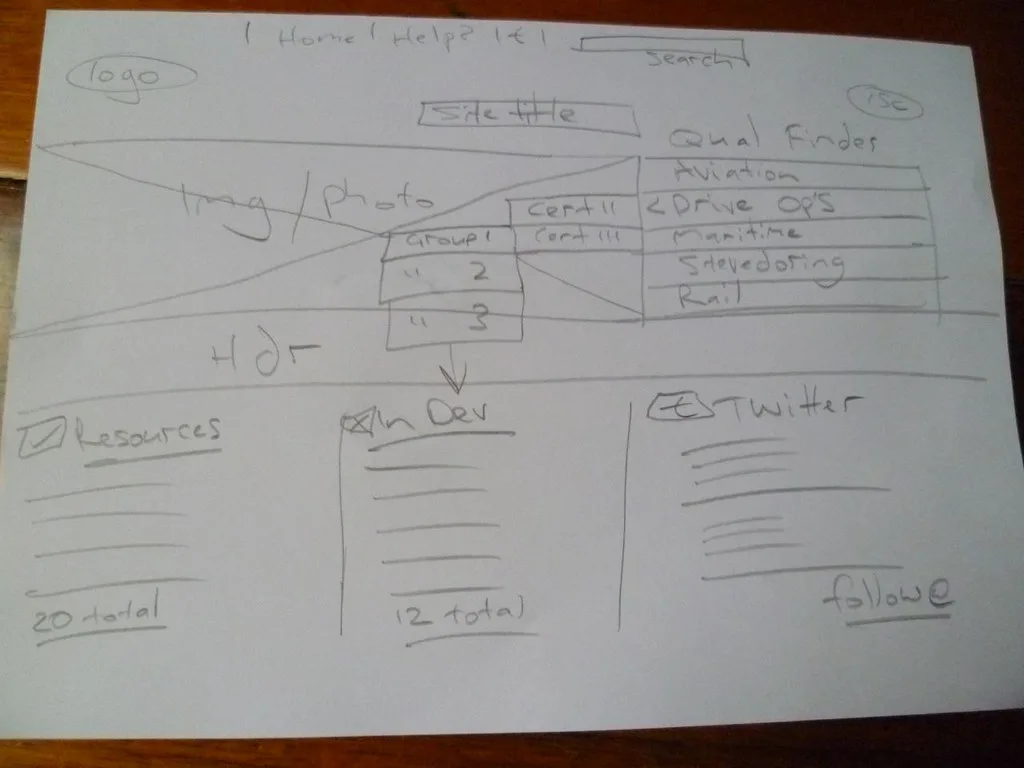
A design specification is the document that turns a vague idea into something a team can actually build. It records what you are making, how it should behave, the constraints it has to respect, and how you will know it is finished. Teams that skip it pay for it later in confusion, scope creep, defects and rework. This guide explains what a design specification is, what belongs in one, and how to write a design spec, with a worked example you can adapt.
We work with teams who learn by testing rather than guessing, so the version of a design specification we care about is a living document that removes ambiguity before a single line of code or CAD is committed, not a 40-page tome nobody reads.
What is a design specification?
A design specification is a detailed, agreed description of a product or feature that acts as the single reference for everyone building it: designers, engineers, product managers and stakeholders. In digital product design it usually documents the intended behaviour, states, components and edge cases of a feature so developers can implement it without guessing. In physical and engineering work the equivalent is often called a product design specification (PDS), which adds dimensions, materials, tolerances and regulatory standards.
Either way the job is the same: capture the decisions once, in writing, so the team is not rediscovering them in a Slack thread three sprints later.
Design specification vs design brief vs requirements
These three get muddled constantly:
- A design brief sets the direction before design starts: the problem, the audience, goals and constraints. See our guide on how to write a design brief.
- Requirements state what the product must do, usually as user stories or acceptance criteria.
- A design specification comes later and is more precise: it shows exactly how the agreed solution looks and behaves, down to states and edge cases.
The brief opens the problem, the requirements frame the job, and the spec pins down the answer.
What to include in a design specification
A strong design spec usually covers these sections. Not every project needs all of them, so treat this as a menu, not a mandate.
- Overview and goals. One paragraph on what this is, who it is for, and the problem it solves. Link back to the brief or the requirement it fulfils.
- Scope. What is in and, just as importantly, what is out. This is your best defence against scope creep.
- User flows. The paths a user takes through the feature, including entry points and exits.
- Screens, states and components. Every screen or component with its states: default, empty, loading, error, success, disabled. Missing states are the number one cause of developer questions.
- Interaction and behaviour. What happens on click, hover, submit, validation failure, and so on. Include animation or transition notes if they matter.
- Content and copy. Real microcopy, labels, error messages and character limits, not placeholder text.
- Data and logic. Inputs, outputs, validation rules, and any business logic or calculations.
- Accessibility. Colour contrast, focus order, keyboard behaviour, and ARIA requirements. Bake this in rather than bolting it on. Our inclusive design guide goes deeper.
- Constraints and dependencies. Technical limits, third-party services, assumptions and anything the design depends on.
- Acceptance criteria. How you will verify it is done and correct, ideally testable statements.
For physical products, add dimensions, weight, materials, finishes, performance targets (accuracy, reliability, operating temperature) and the standards or regulations it must meet.
Design specification example
Here is a compact example for a single feature, an email newsletter signup form:
- Overview: Inline signup form to grow the newsletter list, shown at the foot of every article.
- Scope: In: email capture, validation, success and error states, double opt-in email trigger. Out: preference centre, GDPR consent copy (handled by legal separately).
- Screen and states: Default (empty field, active button); focus; invalid email (inline red message: “Enter a valid email address”); submitting (button spinner, field disabled); success (form replaced by “Check your inbox to confirm”); server error (“Something went wrong, please try again”).
- Behaviour: Validate on blur and on submit. Disable the button while submitting. On success, fire the confirmation email and swap the form for the success state.
- Data: Input: email string, max 254 characters. Validated against a standard email pattern. Output: POST to /subscribe with email and source page.
- Accessibility: Label tied to input, error announced via aria-live, contrast ratio at least 4.5:1, fully keyboard operable.
- Acceptance criteria: A valid email shows the success state and triggers one confirmation email; an invalid email is blocked with an inline message; a server failure shows the error state without losing the entered address.
Notice how much ambiguity that removes. A developer could build this without a single clarifying question.
How to write a design spec that people actually use
- Write for the reader, not for completeness. Engineers need states and logic, so lead with those. Cut anything that does not change what gets built.
- Keep it visual. Annotate screens directly in your design tool. A labelled frame beats three paragraphs of prose.
- Version it and keep it living. A spec that goes stale the day after handoff is worse than none. Update it as decisions change and note the date.
- Make it testable. If you cannot write an acceptance check for a statement, it is probably too vague.
- Store it where the work happens. Link it from the ticket, not buried in a drive nobody opens.
This mindset sits inside a wider design operations practice; our design ops guide covers how mature teams standardise specs and handoff.
For deeper reference on engineering-grade product design specifications, the ScienceDirect overview of product design specification is a solid academic starting point, and the W3C Web Content Accessibility Guidelines are the authority for the accessibility section of any digital spec.
Frequently asked questions
What is a design specification? A design specification is an agreed document that describes exactly what a product or feature is, how it should look and behave, the constraints it must respect, and how you will confirm it is complete. It acts as the single reference for designers, engineers and stakeholders during the build.
What is the difference between a design brief and a design specification? A design brief sets direction before design begins: the problem, audience, goals and constraints. A design specification comes later and is far more precise, showing exactly how the chosen solution looks and behaves, including states and edge cases.
What should a design specification include? Typically an overview and goals, scope, user flows, screens with all their states, interaction behaviour, real content and copy, data and logic, accessibility requirements, constraints and dependencies, and testable acceptance criteria. Physical products also cover dimensions, materials, tolerances and standards.
How long should a design spec be? As short as it can be while removing ambiguity. A single feature might need one page; a complex system needs more. If a section does not change what gets built, cut it. A living, well-linked one-pager beats an exhaustive document nobody reads.
Who writes the design specification? Usually the designer or product designer responsible for the feature, in collaboration with engineering and product. Engineers should review it before build starts, because their questions reveal exactly the gaps the spec exists to close.
More from Experimento
related resultsBest A/B Testing Tools in 2026, Compared by What They Actually Do
A practical 2026 comparison of the best A/B testing tools by what each one is actually good at, from Optimizely and VWO to GrowthBook and PostHog.
read result →A/B Testing Tools Compared: Which Platform Fits Your Team
A/B testing tools compared for 2026: VWO, Optimizely, AB Tasty, Convert, GrowthBook, Statsig and PostHog, matched to marketing, CRO and engineering teams.
read result →Data-Driven Design: Let Research Guide Your Product Decisions
A practical guide to data-driven design: how to pair analytics with user research, run honest tests, and make product decisions on evidence, not opinion.
read result →